
Summary
Find the best auto application filler tools in February 2026 that combine speed with smart personalization to help you land your dream job faster.
An auto application filler can save you dozens of hours by populating job forms in seconds, but speed alone does not get interviews. When every application looks the same, applicant tracking systems filter them out before a recruiter ever reads them. The real advantage comes from tools that combine fast form filling with role-specific resume and cover letter customization, so each submission reflects the exact language of the job description. One modern solution lets you swipe through roles while generating tailored materials automatically, giving you both volume and precision in a single workflow.
TLDR:
Auto application fillers can save a considerable amount of time each week by populating job forms automatically from your resume.
Generic mass applications get rejected 75% of the time by ATS systems before reaching recruiters.
Tools that tailor your resume with job-specific keywords typically see considerably higher response rates than generic applications.
Some modern solutions combine one-swipe speed with AI-generated custom resumes and cover letters for each role.
Over 150,000 users landed 2,738 interviews in October alone at companies like JPMorgan and Nike using certain systems.
What Is an Auto Application Filler and How Does It Work?
An auto application filler is a tool that populates job application forms automatically using information from your resume. Instead of manually typing your name, email, work history, and education into every company's application system, these tools extract data from your saved profile and fill in the fields for you.

Here's how it works: You upload your resume once, and the tool parses key details like contact info, job titles, dates, and skills. When you start a new application, the software recognizes form fields (even across different systems like Workday, iCIMS, or Greenhouse) and inserts the appropriate information.
The real value shows up when you're applying to dozens of roles. What normally takes 15 to 30 minutes per application drops to just a few clicks. The tool handles repetitive data entry while you focus on finding the right opportunities and preparing for interviews.
Why Job Seekers Need Auto Application Fillers in 2026
The job market in 2026 isn't kind to manual applicants. Job seekers now submit 32 to 200+ applications on average before landing an offer. That's weeks or months of filling out the same forms, copying and pasting from your resume, and answering identical screening questions.
The math gets worse when you look at conversion rates. A small percentage of applicants reach the interview stage, which means you need high volume just to get a callback. If you're applying manually at 15 minutes per application, hitting 100 applications takes 25 hours of pure data entry.
Auto application fillers solve the volume problem without requiring you to quit your job just to find your next one. They let you meet the market's demands for quantity while preserving your time for what actually matters: researching companies, preparing for interviews, and customizing applications that need a human touch.
Key Features to Look for in Job Application Autofill Tools
Not all auto fillers are created equal. When you're assessing tools, start with ATS compatibility. The best tools format your information so applicant tracking systems can actually read it. That means clean layouts, standard section headers, and no formatting tricks that break parsing. If an ATS can't read your application, it never reaches human eyes.
Multi-device support matters if you job search on the go. Look for tools that sync across web and mobile so you can apply from your phone during a commute and pick up where you left off on your laptop later. Real-time syncing keeps your application history and preferences updated everywhere.
Form field recognition accuracy separates good tools from frustrating ones. The software should correctly identify fields across different application systems and populate the right information without mixing up your job titles or dates.
Data security can't be negotiable. Your resume contains personal details, work history, and contact information. Choose tools that encrypt your data and clearly explain how they store and protect it.
How Auto Application Fillers Handle Complex Application Systems
Complex application systems like Workday and iCIMS use conditional logic, multi-page workflows, and fields that change based on your answers. A question about education might trigger additional fields for honors or research. Selecting "yes" for security clearance opens an entire section about dates and agencies.
Basic autofill extensions struggle because they can't anticipate what fields will appear next. They fill page one, then fail when page two loads with dependent questions. The tool either stops or submits incomplete applications that get automatically rejected.
Better auto application fillers map the entire application flow before filling anything. They parse each page, identify dependencies between fields, and follow the same logical path you would take. These systems also handle file uploads differently, reformatting and renaming your documents to meet each system's exact specifications for file type, size, and naming requirements.
Balancing Speed with Personalization in Auto Applications
Speed matters when you're hitting 100+ applications, but 75% of resumes get rejected by applicant tracking systems before any recruiter sees them. Generic applications at high volume just get you rejected faster.
The best auto application tools don't treat every job the same. They pull keywords directly from each job description and rewrite your resume bullets to include those terms naturally. If a role asks for "cross-functional collaboration," your resume should mirror that exact phrase instead of saying "worked with other teams."
This keyword alignment isn't stuffing. It's about speaking the language each employer actually searches for when filtering candidates. Your project management experience gets reframed for a marketing role versus an operations role, even though the underlying work stays the same.
The difference shows up in callback rates. Tailored applications get past ATS filters and give human reviewers something that feels relevant to their opening, not a mass-produced template.
Tailored Applications Deliver Better Interview Rates
Personalization makes a real difference. Candidates who tailor applications to each job see a considerably higher response rate than those sending identical resumes, and 83% of recruiters prefer candidates who customize their materials for the specific role.

Recruiters can spot generic applications immediately. When your resume mirrors the exact skills, keywords, and requirements in a job description, you show that you understand what the company needs. That level of attention gets you interviews.
Common Pitfalls When Using Auto Application Tools
The biggest mistake is treating every auto-fill tool like a set-it-and-forget-it solution. Some job seekers allow mass application features and wake up to find they've applied to 200 roles they don't want, including entry-level positions when they have 10 years of experience or locations they'd never move to.
Poor form parsing creates silent failures. Fields get mixed up, dates land in the wrong boxes, or the tool skips required questions entirely. You submit thinking everything went through, but the system flags your application as incomplete and auto-rejects it.
Generic cover letters get caught fast. Some tools generate the same three-paragraph template for every job, just swapping the company name. Recruiters see hundreds of applications and can spot AI-written boilerplate instantly.
The fix is simple: review before you submit. Check that fields populated correctly, confirm the role actually matches your goals, and verify any AI-generated content reads like you wrote it. Automation saves time, but blind automation wastes applications.
Feature | Basic Auto Fillers | Advanced Tools Like Sprout |
|---|---|---|
Form Completion Speed | Fast data entry from saved profile, but requires manual review of each field | One-swipe application with intelligent field mapping across all major ATS platforms |
Resume Customization | Single generic resume used for all applications, leading to 75% ATS rejection rate | AI-generated custom resume for each role using job-specific keywords and reordered skills |
Cover Letter Generation | Same template with company name swapped, easily spotted by recruiters | Tailored cover letter per application matching exact job description language |
ATS Compatibility | Basic formatting that may break parsing on complex systems like Workday | Clean layouts with standard headers that pass ATS screening consistently |
Application Control | Mass apply features that send applications to irrelevant roles | Swipe-based selection so you approve each role before applying |
How Sprout Combines Speed with Smart Personalization
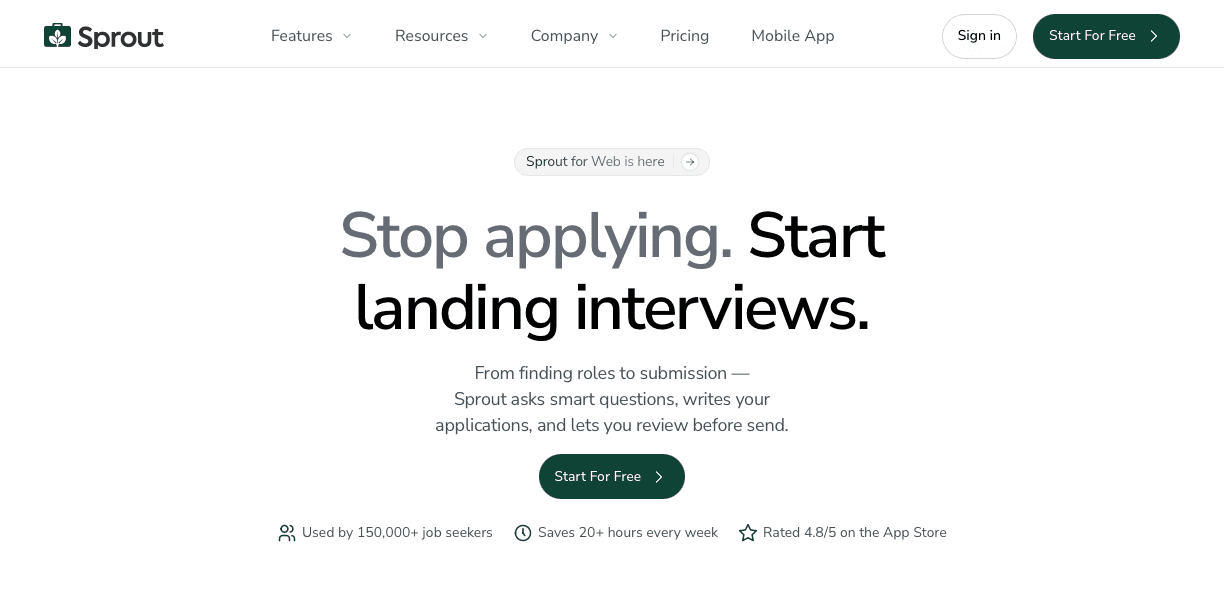
We built Sprout to solve the speed versus quality problem that breaks most auto application tools. The swipe-to-apply interface gives you control over which roles you want while the AI handles personalization for each one.
Every application gets a custom resume and cover letter. Sprout pulls keywords directly from that specific job description and rewrites your bullets to match the language recruiters are actually searching for. The AI reorders your skills based on what matters most for each role and uses clean, ATS-friendly formatting with standard headers that applicant tracking systems can parse correctly.
This approach works because automation handles the personalization itself. You're not choosing between speed and tailored applications anymore. You get both.
The results show it. Over 150,000 job seekers use Sprout, and in October alone users landed 2,738 interviews at companies like JPMorgan, Nike, Johnson & Johnson, and Wells Fargo. Each application took seconds to submit but looked like hours of careful customization.
FAQs
How much time can an auto application filler actually save me?
Many job seekers report saving a considerable amount of time each week by automating repetitive data entry across dozens of applications. Instead of spending 15-30 minutes manually filling each form, you can apply to multiple roles in just a few clicks while the tool handles contact info, work history, and standard screening questions.
Do auto application fillers work with complex systems like Workday?
Quality auto application tools can handle multi-page workflows and conditional logic in systems like Workday and iCIMS by mapping the entire application flow before filling anything. They identify dependencies between fields, follow the logical path through questions, and reformat documents to meet each system's specific requirements for file type and size.
Should I review applications before submitting them with an auto filler?
Yes, always review before submitting. Check that fields populated correctly, confirm the role actually matches your career goals, and verify any AI-generated content sounds authentic. Blind automation can lead to mixed-up dates, skipped required questions, or applications to roles you don't actually want, wasting opportunities that could have led to interviews.
Final Thoughts on Application Autofill Tools
When you are up against hundreds of applicants, speed helps, but only if your resume survives ATS screening and reaches a real recruiter. The best auto application filler tools pair rapid form submission with role-specific customization, aligning your resume and cover letter to the exact language in each job description. Sprout was built with that balance in mind, giving you swipe-to-apply speed while generating tailored materials for every role you target. If you want to apply in seconds without sacrificing quality, start using Sprout and spend your time preparing for interviews instead of retyping the same information over and over.