

Summary
Most people keep their LinkedIn up to date but still rebuild resumes from scratch every time they apply. That approach wastes time. A resume creator from LinkedIn can pull your profile into a clean, usable format in minutes, giving you a strong starting point right away. From there, the real work is tailoring each version to the job you want, not copying your profile word for word and hoping it lands. Using modern tools can make that process faster and far more consistent.
TLDR:
LinkedIn's built-in PDF export includes branding and multi-column formatting that some ATS systems may struggle to parse.
Tailored resumes receive 40% more interview callbacks than generic LinkedIn-to-resume conversions.
AI resume builders can suggest rewrites to better align your bullets with job keywords and adjust section order based on the role.
Manual tailoring burns hours per application; tracking which resume went where becomes impossible at scale.
Some modern resume tools help tailor your LinkedIn data to job descriptions and offer application tracking features.
How LinkedIn Resume Builders Work (And What They Actually Do)
Most LinkedIn resume builders work in one of two ways: you either connect the tool directly to your LinkedIn account via OAuth authorization, or you export your profile as a PDF and upload it manually.
When you authorize a tool, it reads your profile data through LinkedIn's API, pulling structured fields like job titles, dates, company names, descriptions, and skills. The tool then maps that data into resume sections. Upload-based tools do something similar, just parsing the PDF instead.
The Problem with LinkedIn's Built-In PDF Export
LinkedIn does have a built-in export option. Go to your profile, hit "Save to PDF," and within seconds you have a document. Sounds convenient, right?
The problem is what you actually get. The exported PDF includes LinkedIn's own branding, a photo section (which most US recruiters prefer you leave off), and a layout stuffed with headers like "Interests," "Causes," and connection counts. None of that belongs on a resume.
The formatting is fixed and multi-column, which ATS systems struggle to parse. Some applicant tracking systems may not interpret multi-column PDFs correctly, which can affect how your information is read. Your carefully written work history becomes unreadable to the software deciding whether you get a callback.
The LinkedIn PDF is fine for a quick reference. As an actual job application document, it falls short on almost every level that matters.
What Makes a Resume "ATS-Friendly" (And Why It Matters)
Most people picture an ATS as a rejection bot scanning for the wrong font. That story is compelling but mostly wrong.
92% of recruiters confirm their ATS systems do not auto-reject resumes based on formatting. What ATS actually does is parse, sort, and rank applicants so recruiters can work through large pools faster, scoring candidates by keyword relevance.
So why does formatting still matter? 43% of resume rejections stem from technical issues, including 23% from parsing errors and 12% from formatting problems. A multi-column layout can cause your job title to parse incorrectly, dropping your ranking.
You were never rejected. You just never appeared in the search results.
Clean formatting, standard section headers, and keyword alignment with the job description are what push you toward the top of that list. The stakes are real: 88% of employers believe they lose highly qualified candidates screened out by ATS because resumes are not ATS-friendly.
How to Import Your LinkedIn Profile to a Resume Builder (Step by Step)
Two routes exist: authorize direct LinkedIn access or export your profile data manually. Here's how both work.
Option 1: Authorize Direct Access
Go to the resume builder and select "Import from LinkedIn"
You'll be redirected to LinkedIn's OAuth screen - log in if prompted
Review what permissions the app is requesting, then approve
The tool pulls your profile data automatically
Most tools request read access to your profile and typically cannot post on your behalf or message your connections.
Option 2: Export and Upload Your Profile Data
On desktop: click your profile photo, go to "View Profile," then "More" and select "Save to PDF"
On mobile: tap your profile picture, scroll to "Resources," then "Save to PDF"
Upload that file to your resume builder of choice
Why Generic Resumes Get Ignored (Even from LinkedIn)
Pulling your LinkedIn data into a resume builder is a solid first step. Stopping there is where most people go wrong.
Your LinkedIn profile is written for a broad audience: recruiters across industries, old colleagues, potential collaborators. The language stays general on purpose. A resume works differently. It needs to speak directly to one job, one company, and the specific skills they listed in the posting.
That gap shows. Tailored resumes receive 40% more interview callbacks than generic ones. A converted LinkedIn resume, left unchanged, reads exactly like what it is: a profile printout. Recruiters see dozens of those. They move on quickly.
Tailoring Your LinkedIn-Generated Resume to Each Job
Start with the job description. Read it once for the overall role, then again to hunt for repeated skills, verbs, and requirements. Those repetitions signal what the hiring team actually weighs heavily.
Four quick adjustments make the biggest difference:
Reorder your bullet points so the most relevant experience appears first, since recruiters scan top-to-bottom and rarely finish the page
Swap generic verbs for the exact action words used in the posting, because ATS systems score keyword matches before a human ever sees your resume
Rewrite your summary to name the role and a specific skill they flagged, making it immediately clear you read the actual job post
Remove experience with zero relevance to this position, keeping the document tight and focused
Common Mistakes When Converting LinkedIn to Resume Format
Even a well-built LinkedIn profile can produce a weak resume if you're not careful about what carries over. Here are the most common mistakes to avoid:
Copying your LinkedIn summary word for word, since it's written for general networking instead of a specific hiring manager and may not call out key resume skills
Leaving in connection counts, endorsements, or "Featured" section references that carry no meaning on a resume
Keeping every role from the past 15 years when only the last 5 are relevant
Pasting bullet points that describe duties instead of results, since recruiters want numbers, not job definitions
Forgetting to strip LinkedIn-specific phrasing like "Open to Work" or profile headline formatting
The biggest mistake: not customizing at all. A resume pulled straight from LinkedIn and sent without edits tells a recruiter you sent the same document to 50 other companies.
Free vs. Paid LinkedIn Resume Builders: What You Actually Need
Free tools can get the job done at a basic level. Most will import your LinkedIn data, drop it into a clean template, and let you export a PDF. If you're applying to one or two roles, that's probably enough.
The limits show up fast once your search picks up:
Free tiers often watermark your resume or restrict how many times you can export, which gets frustrating quickly.
Templates are limited, and ATS optimization is usually absent, meaning your resume may never reach a human reviewer.
AI tailoring, keyword scoring, and role-specific rewrites typically sit behind paywalls.
Paid plans earn their cost when you're applying at volume. If you're sending out 10+ applications a week, manual tailoring on a free tool burns hours you could spend preparing for interviews. The honest math: one extra interview call is usually worth more than the monthly subscription fee.
Method | ATS-Friendly | Job-Specific Tailoring | Application Tracking |
|---|---|---|---|
LinkedIn Built-In PDF Export | No - multi-column layout scrambles parsing; includes branding and irrelevant sections | None - outputs your full profile as-is | None |
Free Resume Builders | Partial - clean templates but rarely optimized for keyword scoring | Manual only - you edit bullets and reorder sections yourself | None |
Paid Resume Builders | Yes - standard headers and single-column layouts designed for ATS parsing | Manual with AI suggestions - keyword hints provided but editing is still on you | Limited - some offer basic status tracking |
Sprout (AI-Powered) | Yes - single-column, standard headers, built for clean ATS parsing every time | Automated suggestions - adjusts bullets to align with job keywords and suggests section ordering based on the role | Full dashboard - tracks every version sent and links each to its application |
How AI-Powered Resume Builders Turn LinkedIn Data Into Interview Magnets
Copying LinkedIn data into a template is a transfer. AI does something different: it reads the job description, identifies what the employer weights most, then suggests revisions to better align your bullets with the priorities in the job description.
Where a manual conversion keeps your LinkedIn phrasing intact, AI rewrites achievement bullets to mirror the exact verbs and skills the job post repeats. It reorders sections based on role seniority, strips irrelevant experience, and adjusts tone depending on whether you're applying to a startup or an enterprise company.
The result is more likely to align with ATS keyword matching and read clearly to a human reviewer, two things that usually pull in opposite directions when you're editing manually.
Why Your LinkedIn-to-Resume Strategy Needs Application Tracking
Tailoring a resume for every job creates a new problem fast: you lose track of which version went where.
Send ten tailored applications in a week and you will quickly forget which resume you sent to which company, whether you followed up, or why one role got a callback while nine others went quiet. Platform choice matters too: Google Jobs delivers a 9.3% application response rate, nearly three times higher than LinkedIn's 3.3% average, making where you apply just as important as how you tailor.
A centralized tracker ties each application to the exact resume version submitted. That connection lets you spot patterns: which job types respond, which bullet framing gets traction, where things stall. Iteration beats guessing every time.
Sprout: From LinkedIn Profile to Tailored Applications in One Swipe
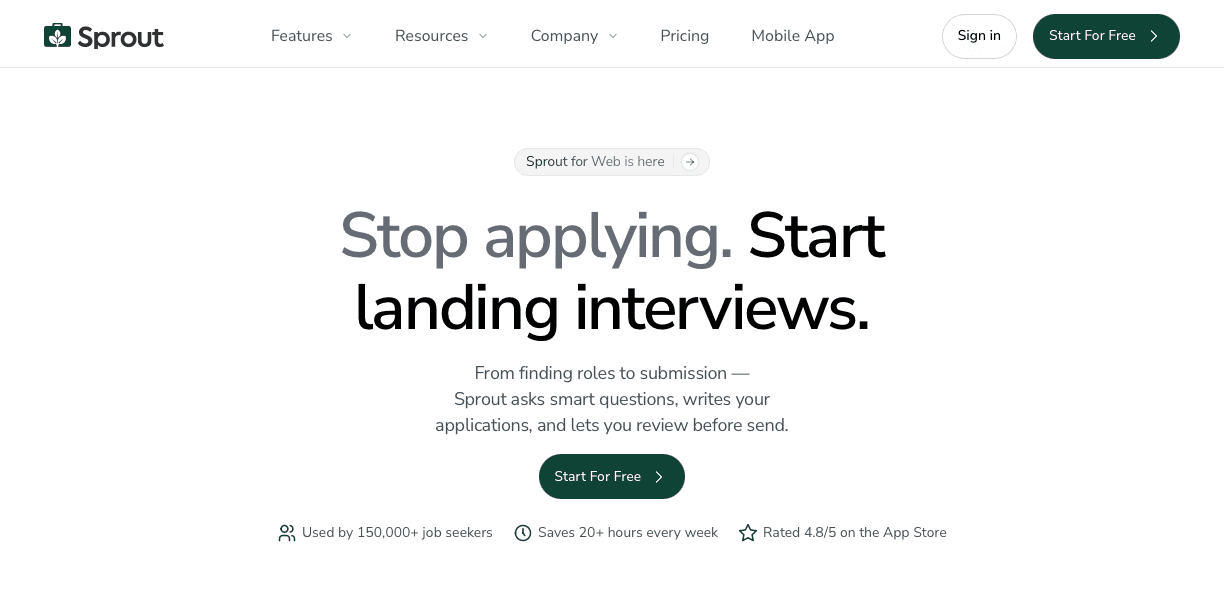
Sprout picks up where LinkedIn resume builders stop. After you build your profile base, Sprout reads each job description, rewrites your bullets to match that role's exact keywords, reorders sections by seniority, and generates a matching cover letter, all before you swipe to apply.
That 40% callback lift from tailored resumes only works if you can keep it up across every application. Sprout makes that scalable. Each submission gets its own customized, ATS-friendly document without you spending ten minutes manually editing per role.
The unified dashboard then tracks every application, so you always know which resume went where and what's getting responses.
FAQs
Can I use LinkedIn's built-in PDF export as my resume?
You can, but you shouldn't. LinkedIn's PDF export includes branding, photos, and multi-column formatting that ATS systems often scramble when parsing, plus sections like "Interests" and connection counts that don't belong on a resume.
How long does it take to tailor a LinkedIn-generated resume for each job?
Manual tailoring typically takes 10-15 minutes per application if you're making focused edits - reordering bullets, swapping keywords, and adjusting your summary. AI-powered tools like Sprout automate this completely, helping you apply faster while still allowing customization.
Why do tailored resumes get more callbacks than generic ones?
Tailored resumes receive 40% more interview callbacks because they mirror the exact keywords and skills from the job posting, which boosts ATS ranking scores and shows recruiters you read the actual requirements instead of mass-applying the same document everywhere.
Final Thoughts on Creating Resumes from Your LinkedIn Data
LinkedIn export helps you get your experience out of profile format, but generic resumes fade into the background in crowded applicant pools. A modern resume creator from LinkedIn reads job descriptions, rewrites your bullets with role-specific keywords, and tracks which versions get responses so you can improve over time. Sprout brings all of this into one place, turning your profile into tailored applications without the usual back-and-forth edits. If you're applying to roles at scale, start converting your LinkedIn data into resumes that actually get noticed.