

Summary
Find the best ATS check tools for April 2026. Scan your resume for keywords, formatting errors, and match scores before applying to get quality interviews.
Most people treat an ATS check like spellcheck: upload once, glance at the results, move on. That works for a handful of similar roles. It breaks down fast when you're sending tailored applications to different companies, each using slightly different keywords for the same skills. The best resume checkers in 2026 handle that variation automatically, showing you exactly what each job expects before you waste time applying.
TLDR:
ATS checkers scan your resume for keywords and formatting errors before submitting, since 93% of recruiters use ATS in 2026.
Resumes scoring below 80% match typically get filtered out automatically before any human review.
Common ATS killers: tables, text boxes, multi-column layouts, graphics, and non-standard section headers.
Free checkers work for low-volume searches, but paid tools offer unlimited scans and job-specific keyword gap analysis.
Some resume tools can build role-specific, ATS-ready resumes automatically by using the wording and skill terms from each job post.
What an ATS Checker Is and Why You Need One
An ATS checker scans your resume the same way an applicant tracking system would before a recruiter ever sees it. It flags missing keywords, formatting problems, and low match scores so you can fix them before submitting.

Why does that matter? 93% of recruiters use ATS in 2026, and 94% say it has positively impacted their hiring. Your resume goes to software first, and that software decides whether you're worth a look.
If your resume parses poorly or ranks low for the role, it may be much less likely to be surfaced to a recruiter. An ATS checker gives you a preview of that verdict before it's too late to do anything about it.
How ATS Systems Filter Resumes before Human Review
When you submit a resume online, it rarely goes straight to a human. ATS software parses your file first, pulling out contact info, job titles, dates, and skills into structured fields. Then it scores your resume against the job description, ranking you against every other applicant in the pool.
The filtering logic varies by system. Some ATS tools assess keyword relevance and context, others by section structure or years of experience. Only 2 to 3% of submitted resumes result in an interview. Formatting errors, missing keywords, or the wrong file type can lower your ranking or make your resume harder to parse.
Running an ATS check before submitting is how you see that verdict first. ATS-friendly resume builders can help you create documents that pass these systems from the start.
Common ATS Resume Mistakes That Trigger Automatic Rejection
Many resumes are never reviewed by a human because they rank lower in ATS search results. The culprit is rarely your experience. It's your formatting.
Here are common issues that can hurt parsing or ranking:
Tables, text boxes, and multi-column layouts break how ATS software reads your content, scrambling the text order or skipping sections entirely.
Non-standard section headers like "My Story" or "Where I've Been" may be less clear to ATS software and recruiters than standard labels like "Work Experience" or "Education."
Inconsistent date formats across roles cause systems to misread your timeline.
Graphics, icons, and images are invisible to ATS and simply get dropped.
Saving as a PDF when the job posting asks for a Word file can corrupt parsing altogether.
Missing keywords from the job description drops your match score below the cutoff threshold.
None of these are content problems. You could be a strong candidate and still hurt your chances if your resume uses a format or structure the ATS doesn’t parse well.
Understanding ATS Scores and Match Rates
Not all ATS scores measure the same thing. Some tools show a keyword match percentage. Others rate parsing accuracy, relevancy, or section completeness. The number looks different depending on which checker you use, but the underlying goal is the same: figure out if your resume clears the threshold to reach a human.
That threshold sits around 80%. Resumes scoring 80% or higher on keyword matching are typically forwarded for human review. Below that, most systems rank you out of contention.
A few things to keep in mind when reading your score:
A 70% match may still leave room for improvement, especially if the role is competitive.
Keyword placement matters as much as frequency. Keywords placed in conspicuous sections like your summary and experience may be easier for recruiters to spot.
Parsing score and match score are different things. You can parse cleanly but still score low if your keywords don't align with the job description.
Use the score as a diagnostic, not a grade. If you're under 80%, look at which keywords are missing and where your formatting may be costing you points.
Free vs. Paid ATS Resume Checkers in 2026
Free ATS checkers work fine if you're applying to a handful of roles. Most offer a basic match score and some general formatting feedback, which is enough to catch obvious errors before you hit submit.
The gap shows up at scale. Free tiers typically cap you at a few scans per month and skip the details that actually move your score: keyword gap breakdowns, job-specific tailoring suggestions, or AI-assisted rewrites. Paid tools close that gap with unlimited scans and line-level feedback.
The honest math: if a paid tool costs $30/month and helps you land even one additional interview, it pays for itself.
How to Use an ATS Checker Tool Effectively
Most people upload their resume once, glance at the score, and move on. That's not how you get results.
The process that actually works:
Upload your base resume with no job description attached. This shows you the raw parsing score before any keyword matching skews the results.
Paste in the specific job description you're targeting. Most checkers will now generate a match score comparing your resume to that role.
Read the gap report and revise your resume to include missing terms in context, inside bullets where they make sense, not stuffed into a skills list at the bottom.
Rescan. Your score should move. If it doesn't, the tool may not be recognizing those keywords as strongly in context.
Treat each application as its own optimization pass, which is exactly why tools that handle this automatically have become worth using.
Keyword Optimization Strategies That Actually Work
Keyword stuffing gets you flagged by humans even when it fools the ATS. The goal is making keywords feel earned.
Here are the spots where placement actually moves your score:
Summary section: lead with 2-3 role-specific terms right away, since recruiters often focus on the top of the document first.
Work experience bullets: embed keywords inside achievement statements with metrics. "Managed $2M project budget" beats a buried "project management" in a skills list.
Skills section: list both the acronym and the full term, like "SEO (Search Engine Optimization)," so either version matches.
One rule worth following: copy exact phrasing from the job description. If they wrote "cross-functional collaboration," use that phrase verbatim. Synonyms don't always map cleanly in ATS scoring.
ATS-Friendly Resume Formatting Best Practices
Single-column layout. Standard fonts. No tables. These aren't design preferences; they're compatibility requirements.
ATS parsers are literal. They read left to right, top to bottom, in a straight line. Anything that breaks that path (a two-column layout, a text box, a header or footer with your contact info) risks getting dropped or scrambled entirely.
Format rules that hold across most ATS systems:
Use Arial, Calibri, or Georgia at 10-12pt to stay readable across parsers
Keep contact info in the document body, not the header or footer
Label sections exactly: "Work Experience," "Education," "Skills"
Submit .docx unless the posting requests PDF
No tables, no graphics, no icons
Your contact info sitting in a Word header looks fine on screen. Some ATS systems may not reliably parse headers and footers, so your email and phone never get parsed. Keep everything in the body.
Tailoring Your Resume for Different ATS Systems
Different ATS platforms and configurations can parse resumes slightly differently. The core rules stay the same, but each system has quirks worth knowing before you submit. AI tools like ChatGPT can help you adapt your resume for different systems.
ATS System | PDF Handling | Keyword Weighting | Formatting Notes |
|---|---|---|---|
Workday | May handle .docx more consistently than PDF depending on configuration | Moderate; date formatting errors can lower your score | Strict on date consistency across roles; avoid non-standard section headers |
Taleo | Acceptable but .docx is safer for clean parsing | Heavy; keyword relevance can influence how your resume is ranked | Handles multi-page resumes well; avoid tables and graphics |
Greenhouse | Generally reliable with both PDF and .docx formats | Moderate; less aggressive than Taleo on density scoring | More lenient overall, but still drops text boxes, icons, and graphics |
iCIMS | Above-average PDF support compared to most ATS systems | Standard keyword matching against job description fields | Struggles with tables even in .docx; keep layout single-column |
Check the job posting itself. Employers using specific ATS systems sometimes signal preferred file formats or application instructions directly in the listing. Follow them exactly. Ignoring a "submit as Word document" note can cost you a clean parse before scoring even starts.
Beyond the ATS Check: Making Your Resume Interview-Worthy
Clearing the ATS gets your resume into a recruiter's hands. That's it. From there, a real person decides in about six seconds whether you're worth a call.
That scan rewards three things: clear job titles, quantified results, and relevance to the role. Bullets that read "Responsible for managing team projects" disappear fast. "Led 8-person team to ship product 3 weeks early" sticks.
A few things that matter once humans take over:
Every bullet should answer "so what?" with a number or outcome
Your most relevant experience should appear above the fold, not buried on page two
Spelling and inconsistent formatting signal carelessness faster than any keyword gap
How Sprout's AI Creates ATS-Optimized Applications Automatically
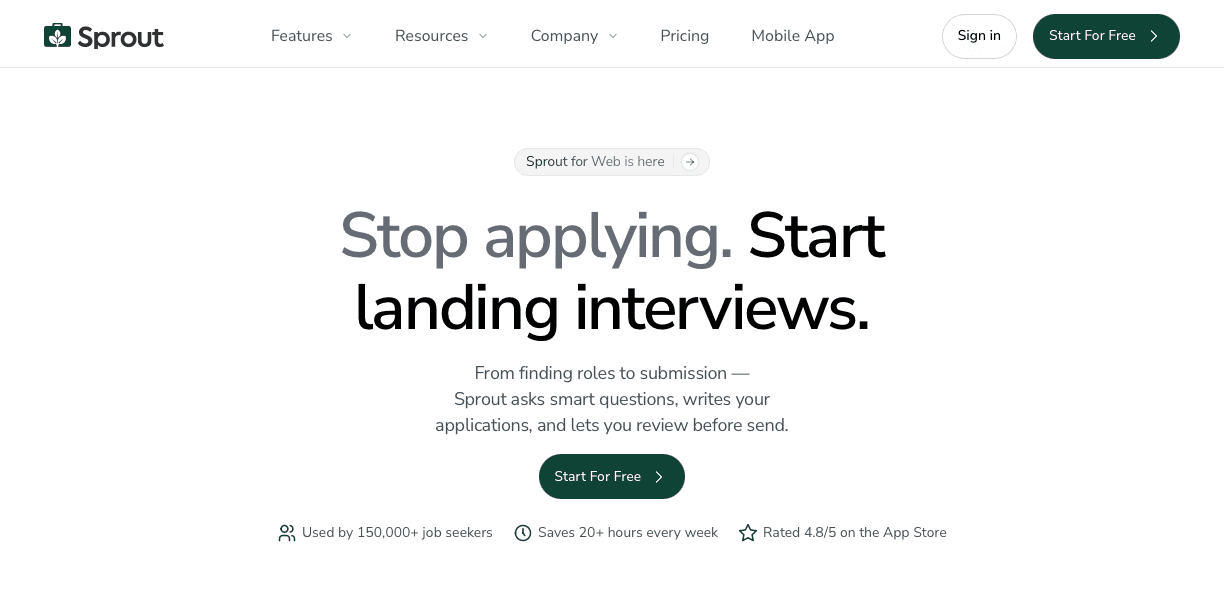
Every strategy covered in this article requires iteration: scan, find gaps, rewrite, rescan. Sprout skips that loop entirely.
When you swipe to apply, Sprout pulls keywords directly from that job description and rewrites your bullets to include them naturally inside achievement-based statements. It uses single-column formatting, standard section headers like "Work Experience" and "Skills," and no tables or text boxes, the exact structure ATS parsers expect. Role-specific skills get moved to the top; irrelevant ones get pushed down or removed.
The result is a tailored, ATS-compliant resume built for that specific role before the application ever goes out. No manual checking required.
FAQs
What is a good ATS score for my resume?
Most resumes need to score 80% or higher to pass through to human review. Anything below that threshold typically gets ranked out of contention, since ATS systems rank top scorers first when forwarding applications to recruiters.
What file format should I use to avoid ATS parsing errors?
Submit .docx unless the job posting explicitly requests PDF. Workday and several other major ATS systems struggle with PDF parsing and may scramble your content or miss entire sections.
Why did my resume fail the ATS check if my experience matches the job?
Formatting problems can make a qualified candidate harder to find or assess, even when their experience is relevant.Tables, text boxes, multi-column layouts, and contact info in headers break how ATS software reads your file, causing automatic disqualification before your experience ever gets scored.
Final Thoughts on Finding the Best ATS Checker
The best ATS check is the one that helps you fix real problems before your resume gets screened out. A basic scanner may be enough for occasional applications, but high-volume job searches usually call for something that can adjust your resume to each posting without adding hours of manual work. Sprout fits that need by building resumes around the exact keywords and structure employers want to see, while keeping the format clean enough for applicant tracking systems to read correctly. If you want a faster, smarter way to improve every ATS check, Sprout is a strong place to start.